
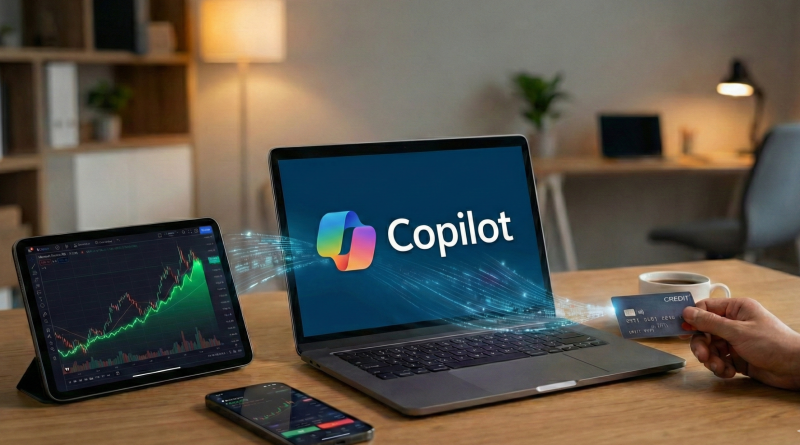
Microsoft Copilot for Finance: Is It Worth the Subscription for Retail Traders?
Microsoft Copilot for Finance is one of the latest AI powered tools designed to help users analyze financial data, automate workflows and make more informed decisions. While it has been clearly positioned toward corporate finance teams and professional analysts, many retail traders are now asking the same question: is Microsoft Copilot for Finance worth paying for if you trade on your own account?
In this article, we take a deep look at what Microsoft Copilot for Finance actually offers, how it works, and whether it makes sense for individual traders who operate outside large institutions.
What Is Microsoft Copilot for Finance?
Microsoft Copilot for Finance is an AI assistant integrated into the Microsoft ecosystem, especially tools like Excel, Outlook and Teams. It is built to help users analyze large volumes of financial data, generate reports, forecast trends and automate repetitive finance related tasks.
Unlike basic AI chat tools, Copilot for Finance connects directly to structured financial data. It can interpret spreadsheets, financial statements and internal datasets, providing summaries and insights in natural language. This makes it particularly attractive for finance professionals who work with complex numbers on a daily basis.
However, the key question is whether these advanced features translate into real value for retail traders.
Key Features That Matter for Retail Traders
Although Microsoft Copilot for Finance was not designed specifically for trading, some of its features can still be relevant for individual investors.
One of the most useful capabilities is advanced Excel integration. Retail traders who track their trades, backtest strategies or analyze historical performance in spreadsheets can use Copilot to automate calculations, identify patterns and generate summaries faster.
Another benefit is natural language querying. Instead of writing complex formulas, users can ask questions like “Which trades were most profitable last quarter?” or “Show my average win rate by asset class.” This can save time and reduce human error.
Copilot can also help with financial research summaries. If you manage fundamental data, earnings reports or macroeconomic indicators inside Microsoft tools, the AI can condense large datasets into readable insights.
Limitations for Individual Traders
Despite its strengths, Microsoft Copilot for Finance has important limitations when viewed from a retail trading perspective.
First, it does not provide real time market data. Active traders rely on live prices, technical indicators and charting platforms. Copilot works with the data you already have, meaning it cannot replace trading platforms like TradingView, MetaTrader or broker dashboards.
Second, it does not generate trading signals. Copilot can analyze data, but it does not tell you when to buy or sell assets. Traders looking for automated strategies or AI driven signals will likely be disappointed.
Third, the learning curve can be steep. To get real value from Copilot for Finance, users must already be comfortable working with structured financial data and Microsoft tools. Beginners may find it overwhelming or unnecessary.
Pricing and Value Considerations
One of the biggest factors is the subscription cost. Microsoft Copilot for Finance is positioned as a premium tool, often bundled within enterprise level Microsoft 365 plans or offered as an add on. For retail traders managing small or medium portfolios, the price may outweigh the benefits.
If you only use Excel occasionally or rely mostly on trading platforms for analysis, the return on investment can be limited. On the other hand, traders who already pay for Microsoft 365 and actively manage large datasets may find additional value.
It is important to compare Copilot’s cost with alternatives. Many traders use cheaper tools such as Google Sheets, Python scripts, or specialized trading analytics platforms that offer similar or better trading focused features.
Who Should Consider Microsoft Copilot for Finance?
Microsoft Copilot for Finance can make sense for a specific type of retail trader. It is best suited for data driven investors who track long term portfolios, analyze fundamentals and work extensively with spreadsheets.
It can also benefit traders who already operate small businesses, manage multiple accounts or combine trading with other financial activities such as budgeting or forecasting.
However, short term traders, scalpers and technical analysts will likely see little advantage. These users need speed, charts and indicators rather than AI summaries inside office software.
Final Verdict: Is It Worth It?
So, is Microsoft Copilot for Finance worth the subscription for retail traders? The answer depends heavily on your trading style and workflow.
For most retail traders, especially those focused on technical analysis or short term trades, Copilot for Finance is not essential. It does not replace trading platforms, signal services or real time data tools.
However, for advanced users who already live inside Excel and manage complex financial datasets, it can be a powerful productivity tool. In that case, Copilot acts less like a trading assistant and more like a financial data analyst that saves time and reduces manual work.
Before subscribing, it is recommended to evaluate how often you would actually use its features and whether cheaper alternatives could meet your needs just as well.
Frequently Asked Questions
Can Microsoft Copilot for Finance help me trade stocks?
It can help analyze your existing data but does not provide trading signals or real time prices.
Is Microsoft Copilot for Finance good for beginners?
Not really. Beginners may find it complex and unnecessary compared to simpler tools.
Does it work with crypto or forex trading?
Only if you manually input or import the data into Microsoft tools. It does not connect directly to exchanges or brokers.
Is it better than ChatGPT for finance?
Copilot for Finance is better for working with structured financial data inside Microsoft apps, while ChatGPT is more flexible for general research and explanations.